Disclaimer: Website Designs NJ. This site provides computers and technology content for informational purposes only.
A business website can do more than display a company name, services, and contact information. When designed around customer needs, it can help visitors find information quickly, understand available services, and take the next step. Clear content, intuitive navigation, mobile accessibility, local search strategies, and practical conversion opportunities can all contribute to a more useful online experience.
Build Service Pages Around Specific Customer Needs
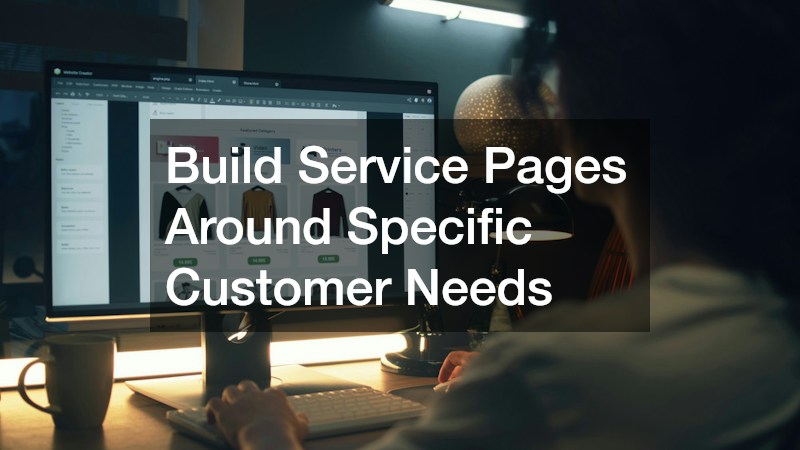
A strong service page should answer the questions a visitor is likely to have before contacting a business. For example, a company offering home remodeling may serve customers interested in kitchens, bathrooms, additions, or other projects, and each service may deserve content that addresses its own considerations. Instead of presenting every offering on one broad page, businesses can organize information around distinct customer needs.
Effective service pages can include:
- A clear explanation of the service
- Information about what the process may involve
- Relevant project considerations
- Frequently asked questions
- A visible way to request more information
The content should also help visitors understand what makes one service different from another. For home remodeling, that might mean explaining the types of projects handled, design considerations, planning factors, or potential timelines without overwhelming the reader with unnecessary technical information.
Good service pages also create useful destinations for search engines and visitors. Someone arriving from a search should immediately understand that the page relates to their specific need. Clear headings, descriptive copy, relevant images, and straightforward calls to action can make the page easier to use while giving visitors a logical path toward contacting the business.
Make Contact Information Easy to Find and Use
Visitors should not have to search through multiple pages to figure out how to contact a business. A website can provide several convenient options, including phone numbers, email addresses, forms, booking tools, and location information. The most appropriate options depend on how customers typically communicate with an electrical contractor and how quickly they may need a response.
A useful contact experience should consider:
- Whether the phone number is easy to locate on mobile devices
- Whether forms request only necessary information
- Whether the business address is clearly displayed when relevant
- Whether contact buttons are descriptive and noticeable
- Whether visitors receive confirmation after submitting a form
Technology can also make contact processes more efficient. Forms can route inquiries to the appropriate staff members, scheduling tools can allow customers to request appointments, and automated confirmations can provide immediate acknowledgment.
However, adding technology should not make communication more complicated. A visitor who simply wants to make a phone call should be able to do so without navigating through an elaborate digital system. Businesses should select tools based on customer behavior rather than adding features simply because they are available. A simple, responsive contact experience can remove friction and make it easier for interested visitors to take action.
Use Local Content to Capture High-Intent Searches
Local businesses can use content to address questions that customers ask before choosing a service provider. A website serving an area with multiple plumbing companies can develop useful pages and articles that address common service questions, local considerations, maintenance concerns, and other topics relevant to its audience.
Local content can include:
- Service pages connected to specific locations
- Answers to frequently asked questions
- Articles addressing common customer concerns
- Information about the communities served
- Explanations of services and related considerations
The goal is not to fill pages with repeated location names. Instead, content should provide information that is genuinely useful to people in the area. A well-written article can introduce a problem, explain available approaches, and help readers understand when professional assistance may be appropriate.
Businesses can also use website analytics to identify which pages attract visitors and where people leave the site. Search data, page performance, and user behavior can reveal opportunities for additional content. Over time, these insights can help a business develop a more focused publishing strategy.
Local content works best when it supports the broader website rather than existing as isolated articles. Service pages, location pages, FAQs, and educational resources can link to one another, creating a more connected experience for both visitors and search engines.
Make Complex Services Easier to Understand Online
Some services involve complicated decisions, unfamiliar terminology, or circumstances that can make potential customers hesitant to contact a business. A website can make these subjects more approachable by breaking information into manageable sections and explaining concepts in plain language.
For a personal injury law firm website, for example, visitors may have questions about legal processes, documentation, case types, or what information they should provide during an initial inquiry. The website does not need to overwhelm visitors with every possible detail. Instead, it can organize information around the questions people are most likely to ask.
Helpful approaches include:
- Using descriptive headings
- Defining unfamiliar terminology
- Separating broad topics into smaller sections
- Including FAQs
- Providing clear next steps
Visual elements can also help. Diagrams, timelines, videos, and other educational formats may make complicated subjects easier to follow when they are used appropriately.
The website should also distinguish between educational information and specific advice. Clear language can help visitors understand the general subject while directing individual questions toward an appropriate professional conversation. This combination of accessibility and structure can make a complex service feel easier to navigate without oversimplifying the underlying subject.
Create a Website That Communicates Professional Credibility
Website visitors often form an impression of a business based on how clearly and professionally its online presence is presented. A website for a criminal defense firm, for instance, should communicate important information in an organized way while making it easy for visitors to understand the services available.
Several website elements can contribute to a professional digital experience:
- Clear descriptions of services
- Attorney or professional biographies
- Consistent branding
- Accurate contact information
- Easy-to-use navigation
- Helpful educational resources
- Straightforward explanations of the firm’s approach
Design matters, but credibility does not come from appearance alone. Visitors may also look for information that helps them understand who operates the business, what services are provided, and how to begin a conversation.
Technical quality also affects the experience. Broken links, outdated information, slow pages, confusing menus, or poorly formatted mobile pages can make a website harder to use. Regular reviews can identify these problems before they interfere with customer interactions.
Businesses should think about credibility as a combination of content, design, functionality, and accuracy. When those elements work together, visitors can move through the website with fewer questions about where to find information or what to do next.
Design Online Experiences Around Customer Intent
Different visitors arrive at a website with different goals. Someone looking for a local sports bar may want to see the menu, hours, location, events, atmosphere, or reservation information. Another visitor may simply be looking for directions or checking whether a particular game will be shown.
A website can accommodate these different intentions by placing important information where visitors expect to find it. Businesses should consider:
- What information customers look for most often
- Which pages receive the most traffic
- What actions visitors commonly take
- Whether mobile users can access important information quickly
- Which questions repeatedly appear in calls or messages
Analytics can help businesses identify patterns. If visitors frequently open a particular page but then return to the homepage, the navigation may need improvement. If people repeatedly visit an event page, the business could make event information more prominent.
Customer intent should also influence calls to action. A visitor ready to make a reservation should not have to read several paragraphs before finding the relevant option. A visitor who is still learning about the business may need educational content first. Designing around these differences can make the website more useful while giving customers multiple paths through the same digital experience.
Use Educational Content to Answer Common Questions

Educational content can help businesses connect with visitors who are not yet ready to contact them. A pest control company, for example, may receive questions about signs of pests, prevention strategies, common household concerns, and situations that may require professional attention. Addressing these questions on the website gives visitors useful information while introducing them to the company’s services.
Useful educational content can take several forms:
- Blog articles
- FAQs
- Service guides
- Checklists
- Explanatory videos
- Short informational resources
The most effective topics often come from actual customer questions. Sales staff, customer service representatives, and service professionals can provide valuable insight into what people commonly ask before purchasing a service.
Content should also be organized so visitors can easily move from an educational article to a related service page. Someone reading about a particular pest problem should have an obvious path toward learning about relevant professional services.
Technology can support this strategy through analytics and search data. Businesses can identify popular topics, monitor engagement, and update older content when information changes. A consistent educational library can strengthen the website’s usefulness while giving customers another reason to return.
Build Clear Paths for High-Consideration Services
Some purchases require considerably more thought than others. Services offered by life insurance companies, for example, may involve personal circumstances, financial considerations, coverage questions, and discussions that take place over time. A website serving this type of audience should help visitors understand the available information without forcing them to make an immediate decision.
High-consideration websites can provide:
- Clear service explanations
- Definitions for industry terminology
- Comparison information where appropriate
- Educational articles
- FAQs
- Contact or consultation options
- Multiple ways to continue researching
The website should support different stages of the customer journey. Someone discovering the subject for the first time may need introductory information, while someone further along may be ready to request a conversation.
Businesses can also use analytics to identify where visitors hesitate. If people repeatedly view several informational pages but rarely reach the contact page, the website may need clearer connections between educational content and available services. The objective is to create a logical progression rather than pushing every visitor toward the same action immediately.
Optimize the Website for Fast Local Decision-Making
People making local purchasing decisions often need basic information quickly. Someone looking for a local moving company may want to know what services are offered, where the company operates, how to request an estimate, and how to get in touch. A website should make those answers accessible without unnecessary steps.
Important considerations include:
- Fast-loading pages
- Mobile-friendly layouts
- Clear navigation
- Prominent contact options
- Accurate business information
- Concise service descriptions
- Location-specific information when relevant
Mobile performance deserves particular attention because visitors may access a website while traveling, comparing options, or handling another task. Buttons should be easy to tap, text should be readable, and important information should not be buried beneath oversized design elements.
Local search visibility also depends on consistent information across a business’s digital presence. The website should clearly communicate the areas served and the services available without relying on repetitive wording.
Create a Parent-Friendly Website Experience

Parents often have limited time when researching services for their children. A website for an early learning center should therefore make essential information easy to locate while answering practical questions that may influence a family’s decision.
A parent-friendly website may include:
- Program descriptions
- Age or enrollment information
- Hours and scheduling details
- Tuition or cost information when appropriate
- Frequently asked questions
- Contact and enrollment options
- Information about the learning environment
The website should also consider the different stages of a parent’s decision. Someone researching early education for the first time may want to understand program differences, while another parent may already know what they need and simply want to schedule a visit or ask about availability.
Technology can also simplify communication through inquiry forms, appointment requests, newsletters, and other tools. These features should complement the website rather than create additional barriers. When parents can quickly locate practical information and understand what to do next, the website becomes a useful part of the enrollment experience rather than simply an online brochure.
A local business website can become a practical customer-acquisition tool when its design reflects how people research services and make decisions. Clear service pages, accessible contact options, useful content, and straightforward navigation can improve the online experience. By reviewing website performance and customer behavior, businesses can continue refining their digital presence and make it easier for visitors to find information and take the next step.